
Viewing your invoices and statements
The video can't be played just now. The steps are written out below, or call us and we'll talk you through it.
Invoices are for account admins.
- Choose Invoices.
- Open an invoice to see its lines.
- Choose View invoice (PDF) for the invoice itself, View full breakdown (PDF) for the detail behind it, or Download breakdown (Excel) for every charge in a spreadsheet.
To see what each part of the bill means, read Understanding your bill.
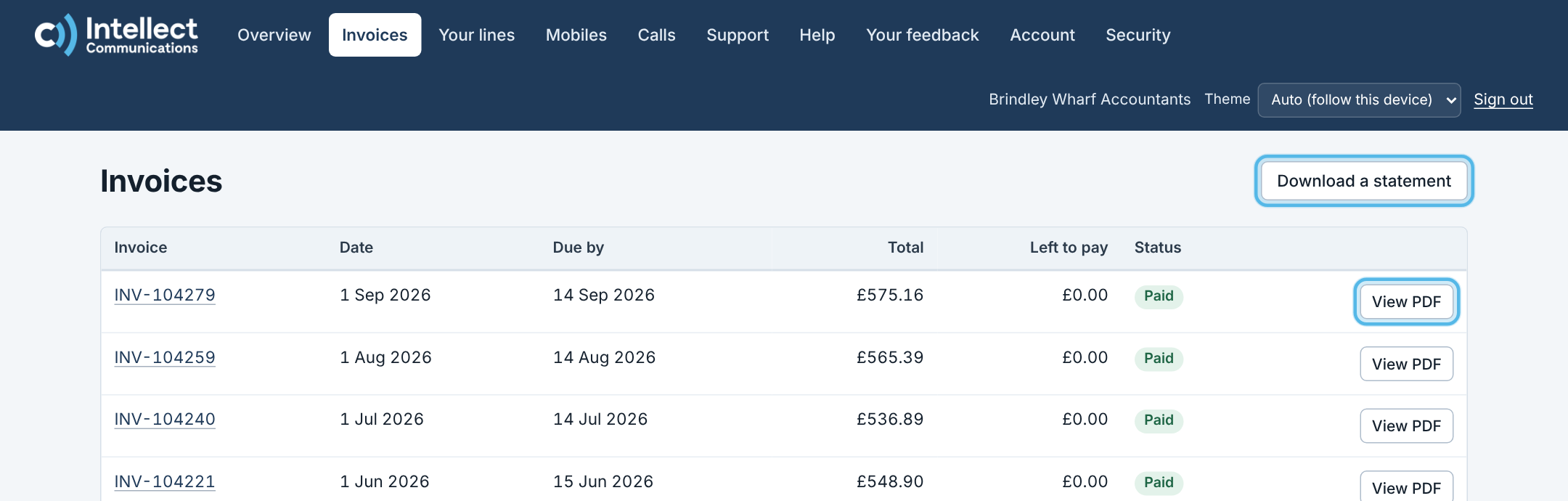
The list
Each invoice shows its date, when it's due, the total, what's left to pay and its status:
- Paid, Part paid or To pay.
- Collecting by Direct Debit on [date]: we'll collect it on that date. There's nothing you need to do, and it isn't overdue while it's waiting to be collected.
- Overdue: the due date has passed and it hasn't been paid.
If you have a separate invoice for each site, the site's name shows beside the invoice number.
Invoices from our previous billing system
Invoices from our previous billing system are in the same list, newest first. Choose View PDF to open the original. If there's no PDF yet, it says Ask us for a copy: raise it through Support and we'll send it. Their status comes from our accounts, so it may be blank for a while.
Statements
Choose Download a statement on the Invoices page to get a statement of your account.
Your balance
Your balance is on the Overview. If there's nothing to pay, it says so.
Payment reminders
If any invoices are overdue, you get one reminder email listing them all, with each invoice's number, date, due date, amount and how many days overdue, and the total. A copy of each invoice is attached. Invoices being collected by Direct Debit are never included. If you've already paid, thank you, and please ignore it.
Price changes
If a price on your account is going to change, your invoices and the Overview show a Price changes box, one line for each service affected, with the old and new monthly price and the date it changes.
Credit notes and corrected invoices
If we've sent an invoice with a mistake on it, we don't change it: we cancel the wrong amount with a credit note (numbered CN-…) and send you a corrected invoice with a new number. You get one email with both attached, saying what's left to pay. The corrected invoice says which invoice it replaces.
- If you hadn't paid yet, the credit note settles the wrong invoice and you just pay the corrected one. A Direct Debit that was waiting for the old invoice is cancelled or reduced.
- If you'd already paid, the credit stays on your account and comes off your next invoices automatically. If you'd rather have it refunded, ask us.
Equipment invoices
Equipment we supply (phones, routers and so on) is invoiced once, on its own one-off invoice, on the day it's sent to you.
A charge looks wrong?
Raise it through Support with the invoice number and the line, and we'll look into it.
Still need help?
- Call us on 01270 814 814
- Email support@intellect-comms.com
- Customers can sign in to the customer portal to report a fault, see invoices and manage their services.